> For the complete documentation index, see [llms.txt](https://doc.vapi.co/tr/llms.txt). Markdown versions of documentation pages are available by appending `.md` to page URLs; this page is available as [Markdown](https://doc.vapi.co/tr/en/tr-turkey-datasets-and-api-reference/recipe-calculation.md).

# Recipe Calculation

### Endpoint: /prescription-calculator

[API URL](/tr/en/getting-started/api-url.md)

### Request Method: <mark style="color:green;">GET</mark>

### Request  Parameter

<table><thead><tr><th width="153">parameter</th><th width="110">type</th><th width="367">definition</th><th>compulsory</th></tr></thead><tbody><tr><td>token</td><td>integer</td><td>Web token generated from the API keys page or retrieved via the /web-token method.<a data-mention href="/tr/en/tr-turkey-datasets-and-api-reference/web-token.md">Web Token</a></td><td><mark style="color:red;"><strong>yes</strong></mark></td></tr><tr><td>ids</td><td>integer</td><td>Comma-separated IDs of the drugs to be used in the prescription calculation module. You can obtain these IDs using the 💊 Medication List method.</td><td><mark style="color:red;"><strong>yes</strong></mark></td></tr></tbody></table>

### Steps for Use

To use the prescription calculation module, you first need a web-token. You can obtain this token as described on the 🔑 Web Token page. You can also access your active token information on the API Keys page at vapi.co.

In addition to the web-token, you need to define the URL of the website where you will be using this module. If a request originates from anywhere other than this site, you will not be able to access the module. You can set this configuration on the API Keys page at vapi.co as well.

Once you have defined your token and website URL, you can integrate it into your site as follows:

```
<iframe src="https://www.vapi.co/prescription-calculator?token=266a7d3066a0a4b7d38ad143188bbf40e893c2d2&ids=3195,3196"></iframe>
```

{% hint style="warning" %}
If you do not wish to use an iframe, you can also provide a direct link. However, keep in mind that the request must originate from the website you specified; otherwise, you will receive an error.
{% endhint %}

### Restrictions

* Website address check
* Web Token Check

### Answer

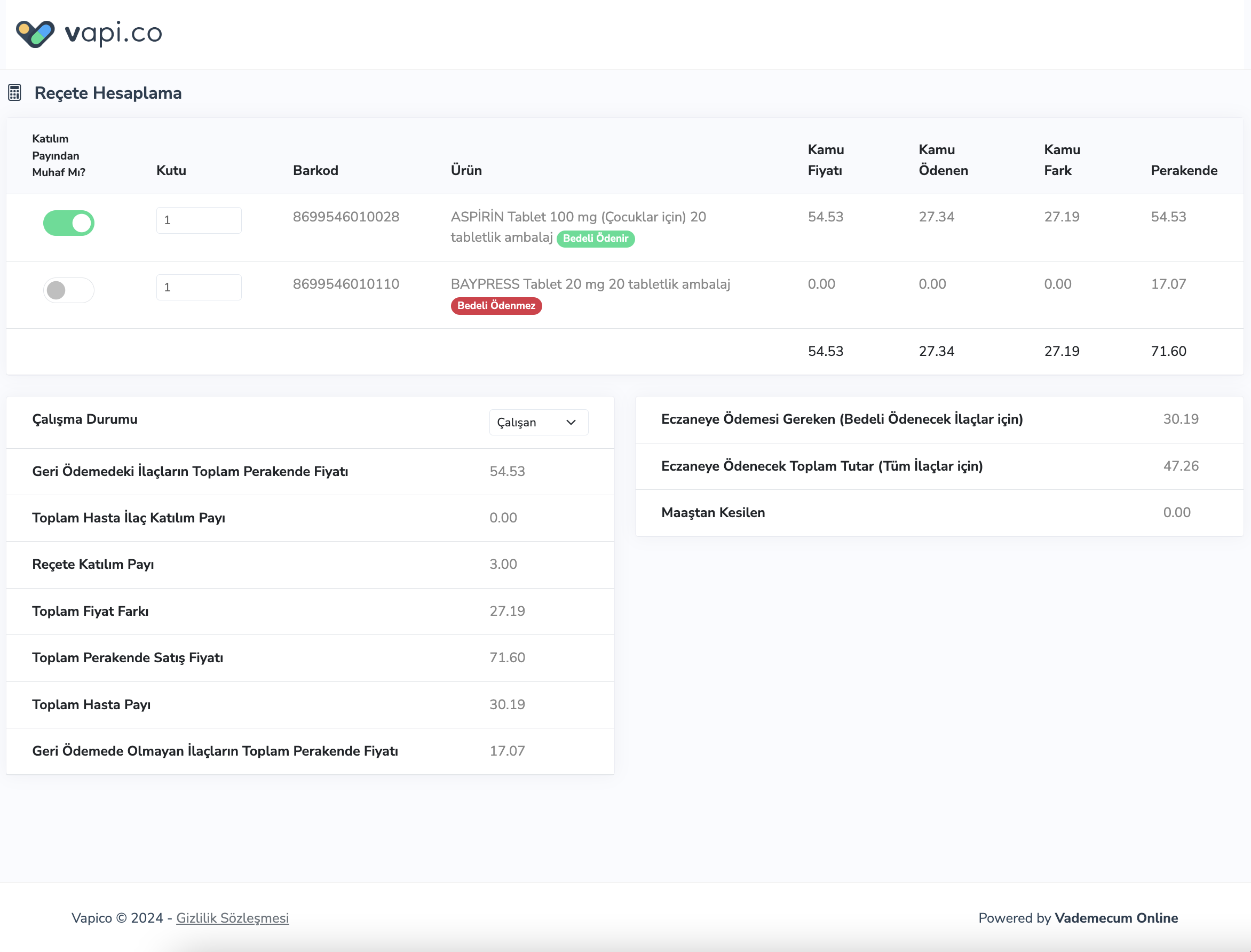
The returned response is an HTML page. You can find an example screenshot below.

<figure><img src="https://content.gitbook.com/content/yoqXCLsgP4CqhklelIUV/blobs/a6C52b2fxFkvGXU8jktz/Screen%20Shot%202024-03-25%20at%2011.14.29.png" alt=""><figcaption></figcaption></figure>

{% hint style="success" %}
You can access the application example on the page below.
{% endhint %}

{% embed url="<https://www.vapi.co/prescription-test>" %}
