> For the complete documentation index, see [llms.txt](https://doc.vapi.co/tr/llms.txt). Markdown versions of documentation pages are available by appending `.md` to page URLs; this page is available as [Markdown](https://doc.vapi.co/tr/en/tr-turkey-datasets-and-api-reference/use-of-special-product-card.md).
# Use of Special Product Card
With the custom product card (custom-product-card), you can compile the information you need into a single endpoint.
{% hint style="success" %}
With the custom product card, you can retrieve your specified information as a list, returning 20 results per page. This allows you to optimize your query count using this method in scenarios where you require bulk data.
{% endhint %}
Follow the steps below to use this method:
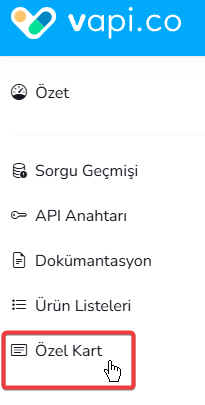
1. Navigate to the Custom Card menu ([https://www.vapi.co/custom-product-card](https://www.vapi.co/custom-product-cardhttps://www.vapi.co/custom-product-card)) from the vapi.co dashboard.
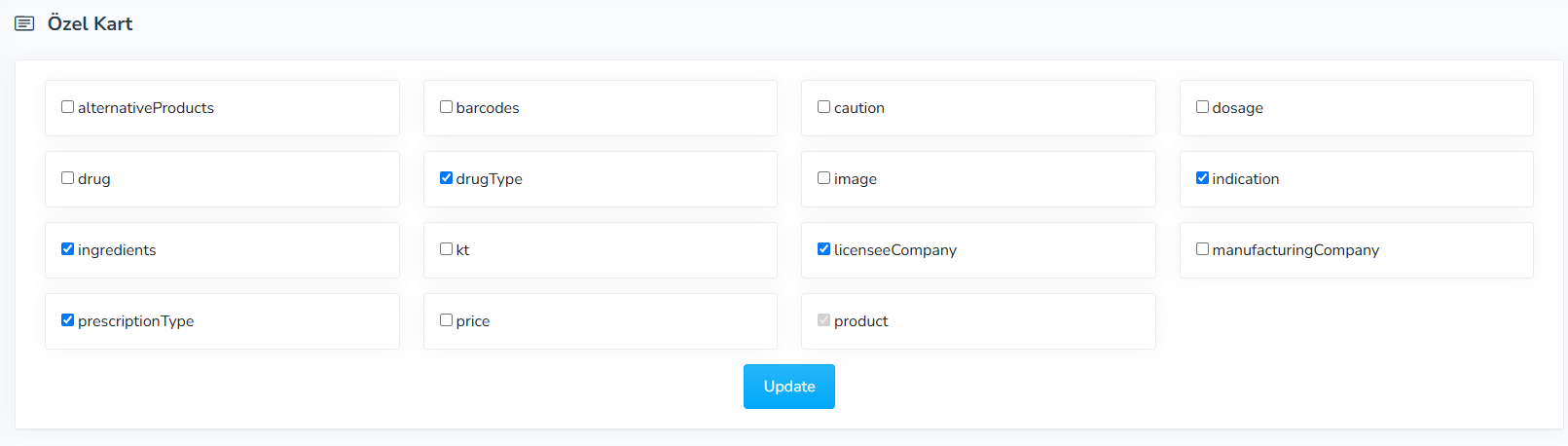
2. On the screen that opens, select the product information you wish to add to your custom product card.
Information you can select in the custom-product-card:
* alternativeProducts: List of pharmaceutical equivalents and alternatives of the product
* barcodes: Current active and historical barcode information for the product
* caution: "Caution" monograph information
* dosage:"Dosage" monograph information
* drug: Drug information. For example, for "MAJEZİK Film Coated Tablet 100 mg pack of 15 tablets", Drug="MAJEZİK"
* drugType: Drug type information. For example, pharmaceutical, food supplement, cosmetic, parenteral solution, etc.
* image: Product image
* indication: "Indication" monograph information
* ingredients: Active ingredient or composition information for the product
* kt: "Instructions for Use" (Kullanma Talimatı) document for the product
* licenseeCompany: Marketing authorization holder company information for the product
* manufacturingCompany: Manufacturer company information for the product
* prescriptionType: Prescription type information. For example, white, red, green, orange
* price: Price information. Retail, manufacturer, wholesaler, and public prices
* product: Product information (selected by default)
{% content-ref url="/pages/oj6a17dLCcujz7jNXhXX" %}
[Special Card](/tr/en/tr-turkey-datasets-and-api-reference/medicines/special-card.md)
{% endcontent-ref %}
###